
Stop bracing for the audit
You’ll never again spend a week reconstructing what your integrations do, who owns them, and who approved each change. Every integration is either governed or flagged, regenerated on every deploy, ready to hand over.
In your tenant · full change history with approver · a dated evidence pack on every run
Every audit cycle, the same week disappears
The auditor asks three questions. Which integrations touch customer data? Who owns each one? How did they change this year and who approved each change? Someone then reassembles the answer from memory, old spreadsheets and Teams threads. It takes a week. It’s never quite complete. And “never quite complete” is the part that gets written up.
Everything your auditor asks for already generated
IT auditors ask for the same artefacts every year. This produces them continuously, so they exist before anyone asks.
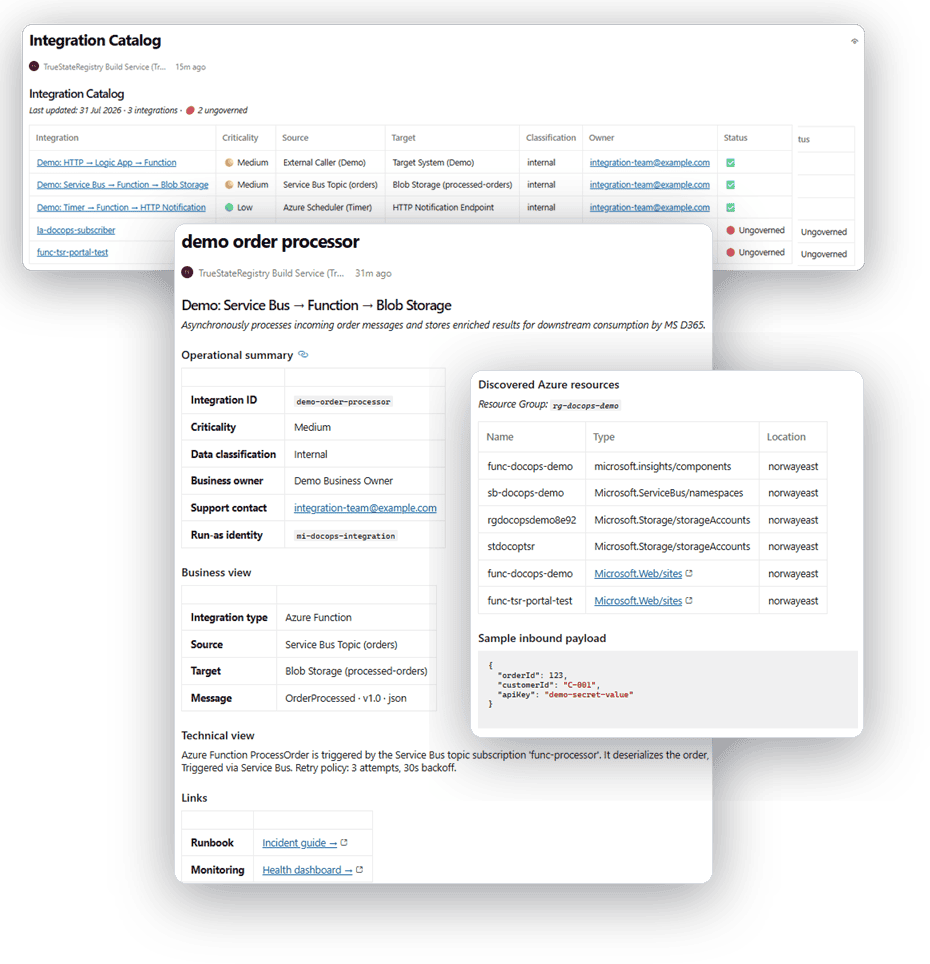
A diagram of how your systems integrate, auto-generated architecture and message-flow diagrams.
An inventory of integrations per system the live Integration Catalog.
Who owns each integration, business owner and support contact on every page.
What data each one handles, four-tier classification, exposure surfaced on the dashboard.
The accounts integrations run as, the run-as identity (managed identity or service principal) recorded per integration.
How changes were controlled, full change history: who changed what, when, approved by whom, via which pull request.
Not a point-in-time guess but a live posture
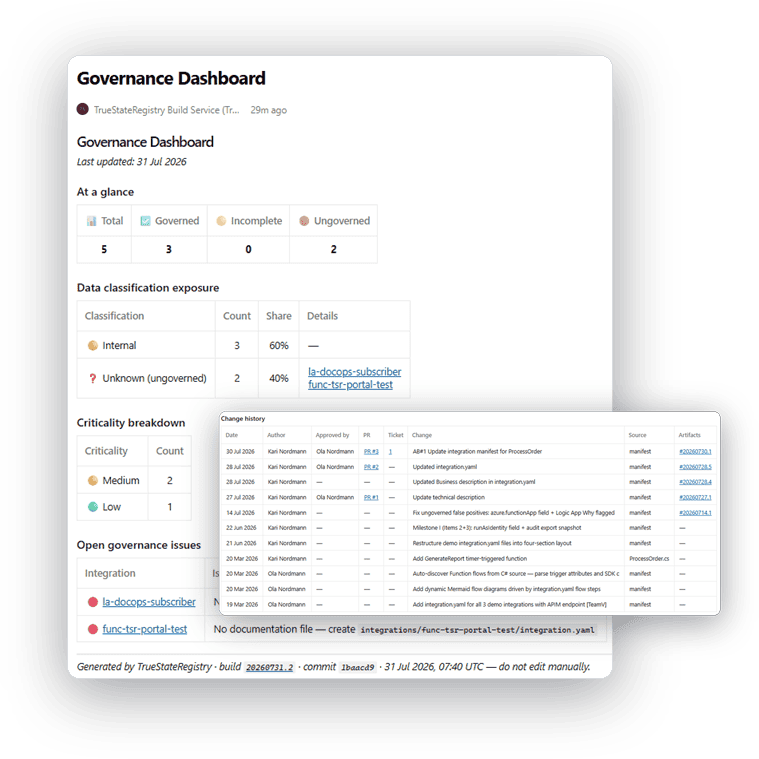
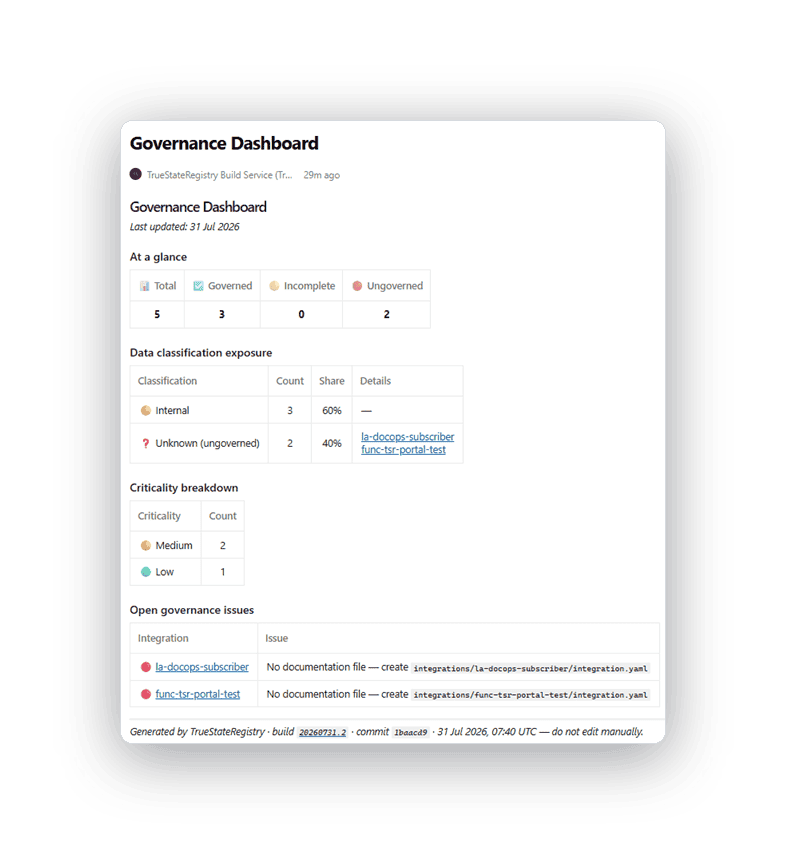
The dashboard shows how many integrations are fully governed, which touch Restricted or Confidential data, and every open gap with the exact missing field. Nothing hides until audit week.
Segregation-of-duties evidence, generated automatically
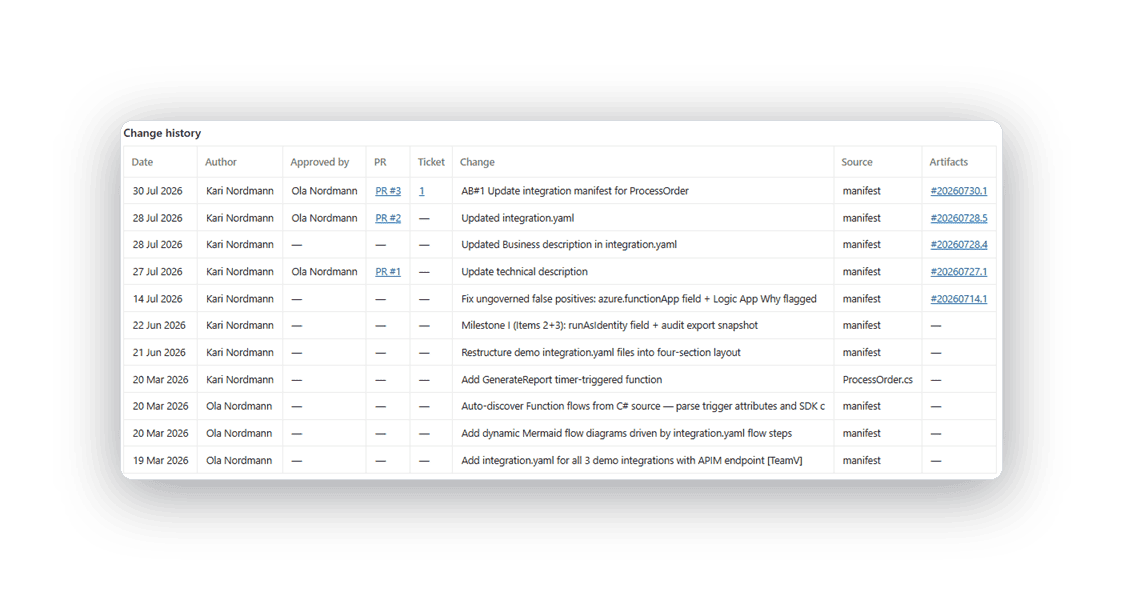
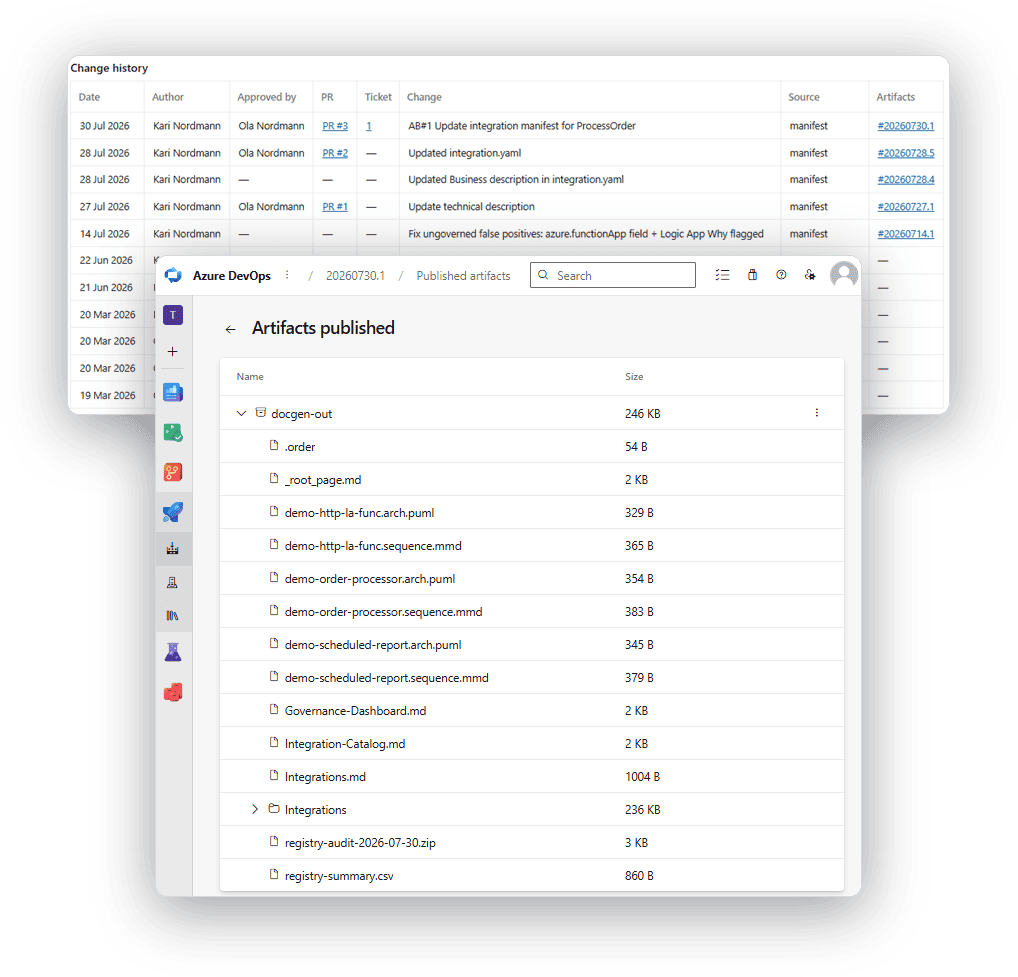
Because every change to an integration goes through a reviewed pull request, each page’s change history shows the date, the author, the approver’s name, the PR number, and, when the change references a ticket, a link straight to it in your ITSM. That completes the chain from request to change to approval, generated as a by-product of how your team already works.
Your ITSM still holds the business approval, which an auditor opens to confirm. What you’ll never do again is hunt for what changed, when, by whom, which ticket authorised it, and who signed it off.
Every deploy leaves a dated, self-contained evidence pack
Every pipeline run produces a point-in-time audit record: a flat CSV of every integration owner, classification, criticality, run-as identity, governance state plus a date-stamped archive containing that CSV and every manifest. A self-contained record you can attach to an audit report or hand directly to an auditor.
How it works
Live in three steps, then automatic
Step 1
Add it to your pipeline. Add it to your Azure DevOps pipeline and point it at your resource groups. No platform to host, no agents.
Step 2
Fill in the stubs. It discovers your Logic Apps, Functions and repos, and opens a pull request with stub manifests. About five minutes each.
Step 3
It runs on every deploy. Every push regenerates your catalog, dashboard, diagrams and pages and flags anything ungoverned.
Runs where your data already lives
In your tenant
Everything runs inside your Azure environment. Nothing is sent to us. No phone-home.
Reads no secrets
Redaction strips secrets, connection strings, hostnames and tokens from every output. Optionally fails the build if a secret is detected.
Least privilege
Read-only discovery through your existing pipeline identity.
Verifiable
Every page carries the build ID, commit SHA and timestamp that produced it.
A snapshot is out of date by the next deploy
Manual evidence is stale the moment something changes. This regenerates on every release, so your evidence is always current — the same answer every time, not something someone maintains by hand.
FAQs
Be one of our founding customers
Hands-on setup with the engineer who built it, direct input into the roadmap, and locked-in early pricing in exchange for a paid pilot and your feedback.