
Azure integration documentation that stays current
TrueStateRegistry discovers integrations in your configured Azure and Azure DevOps scope, then regenerates their catalog, diagrams and change evidence on every deploy. Developers complete a small, policy-validated manifest and the pipeline does the rest.
In your tenant · ~5 min per integration one time · updates every deploy
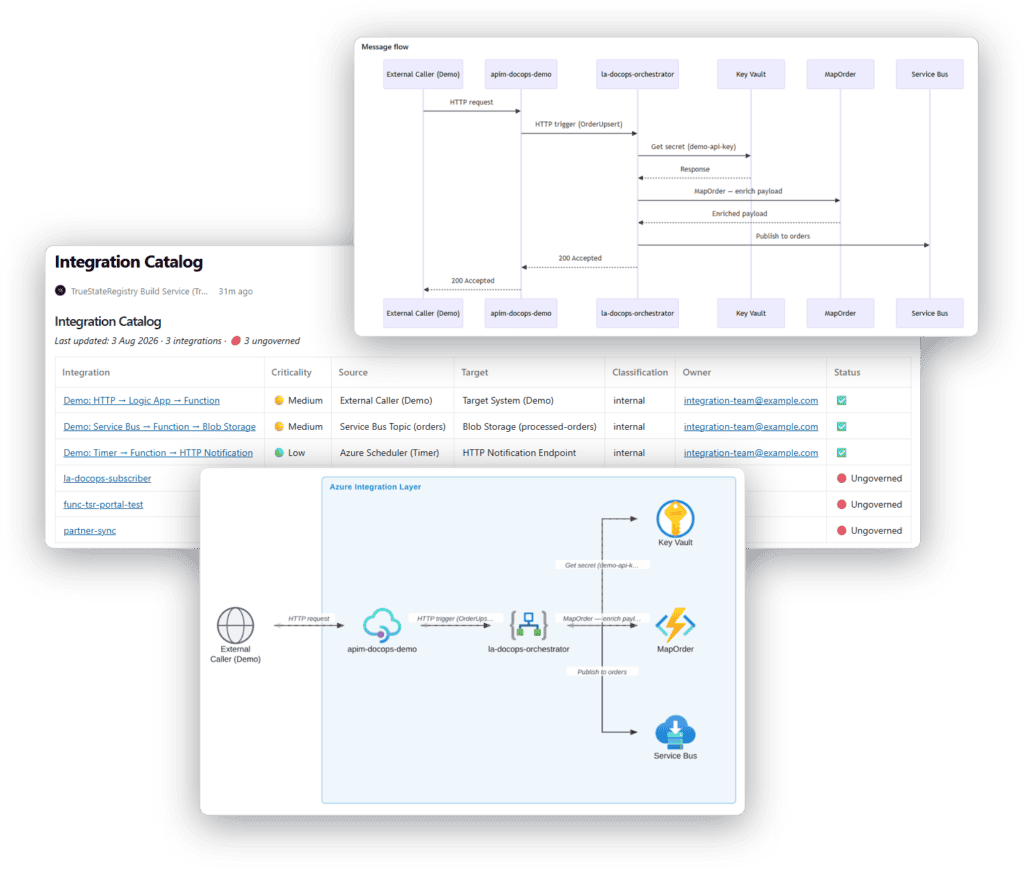
Docs go stale because developers hate maintaining them
Your integration docs were accurate once the day someone wrote them. Now it’s 2 a.m., something’s broken, and nobody can see what talks to what, who owns it, or what changed. The new engineer spends months rebuilding the picture the last one took with them.
Developers touch one small file. The pipeline does the rest.
Each integration is one small YAML file with eight mandatory fields: id, name, criticality, data classification, support contact, source, target, and a one-line description. Everything else is optional. Validation names the missing field in plain language, never a stack trace.
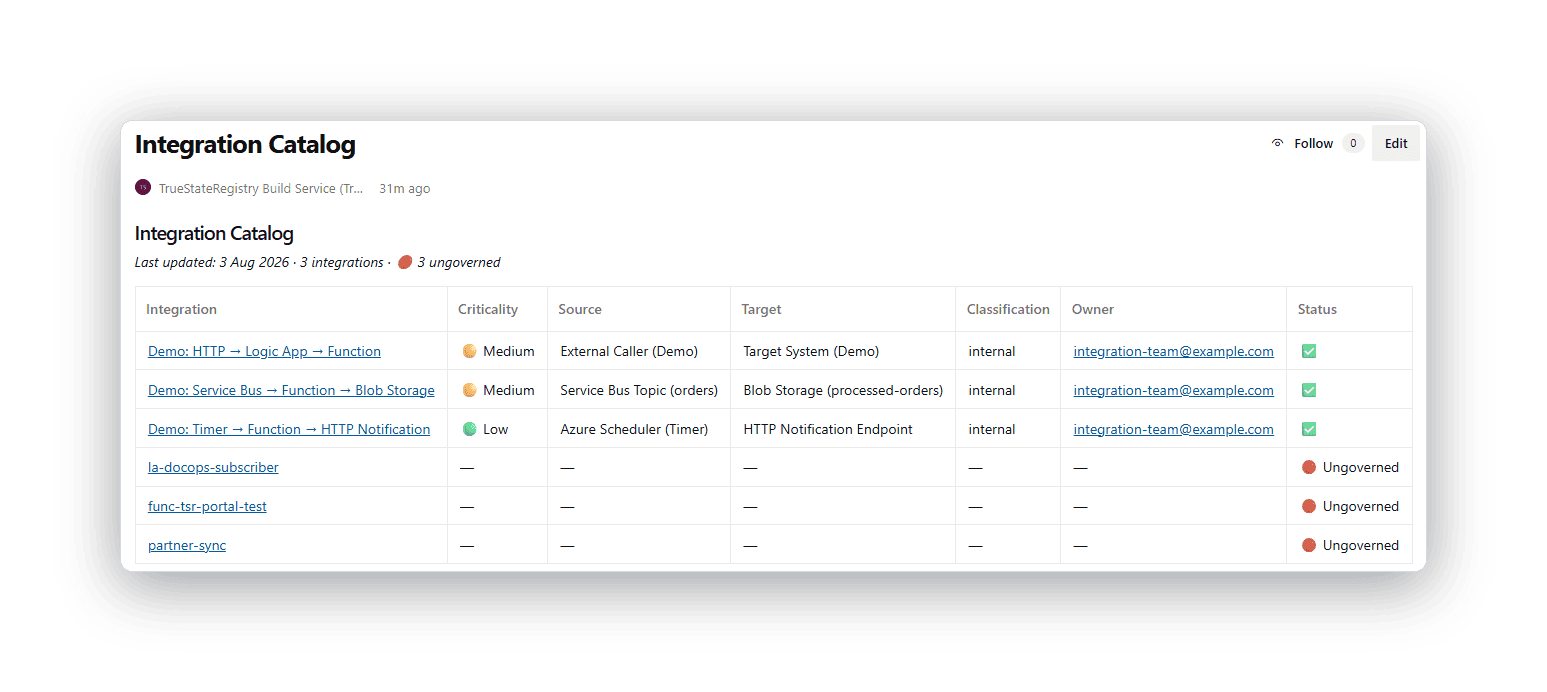
One table with every integration you run
The catalog lists every integration with its flow, owner, criticality, data classification and governance status. Sortable, always current. It’s the answer to “what do we actually run?” a question most teams can’t answer without a week of digging.
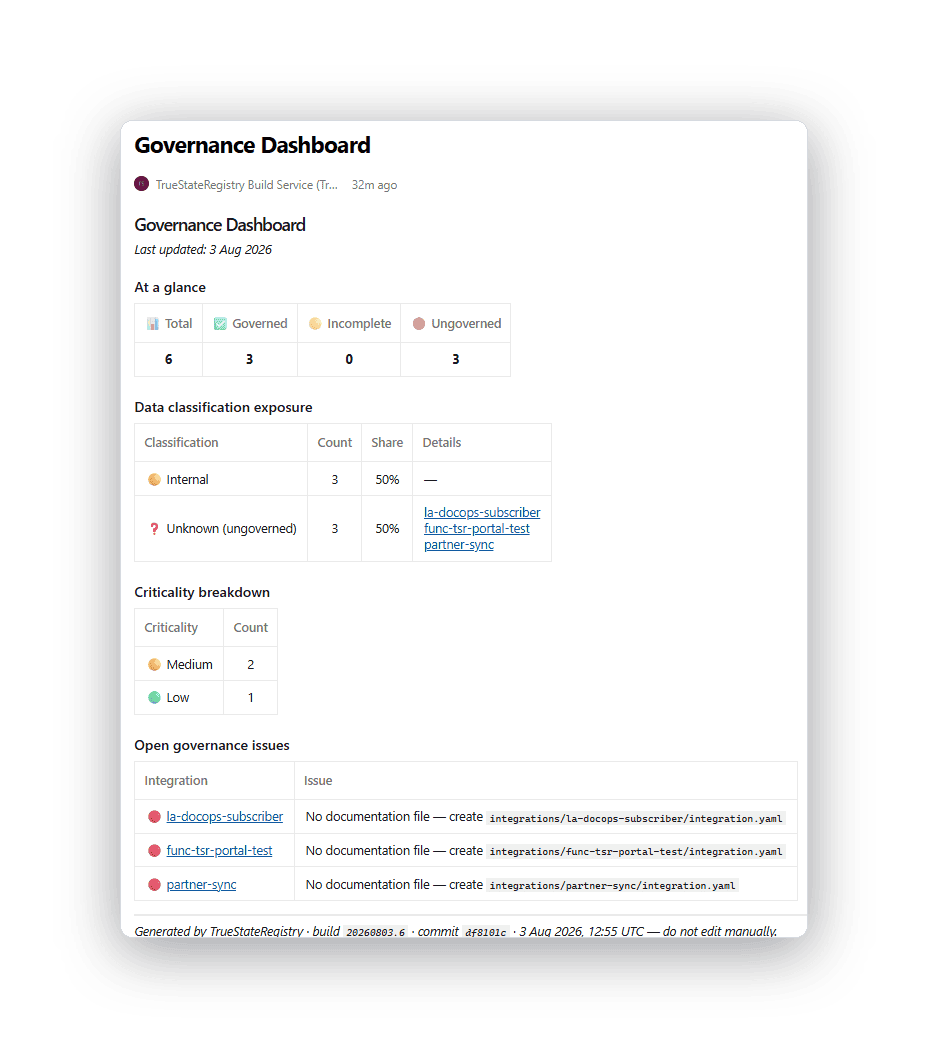
The one screen a CISO or auditor reads first
Posture at a glance: how many integrations are governed, which touch Restricted or Confidential data, what’s critical, and every open gap with the exact missing field. Green is comfort. Red is the work you didn’t know you had.
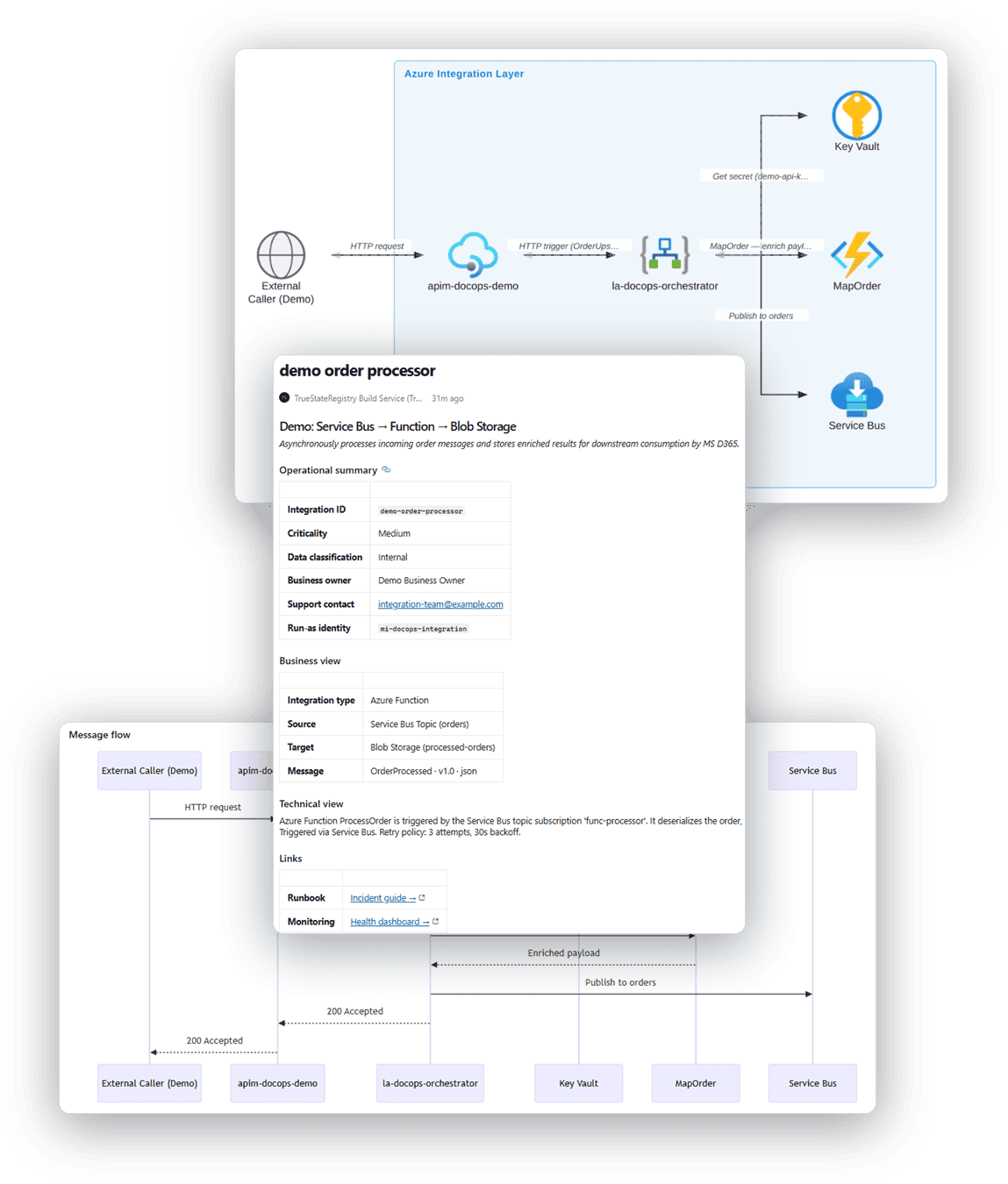
Every integration gets its own page with real diagrams
An architecture diagram drawn with actual Azure service icons, and a message-flow sequence discovered from the Logic App workflow itself. Plus the business purpose, technical notes, sample payloads, and links to the runbook. Generated, not drawn by hand.
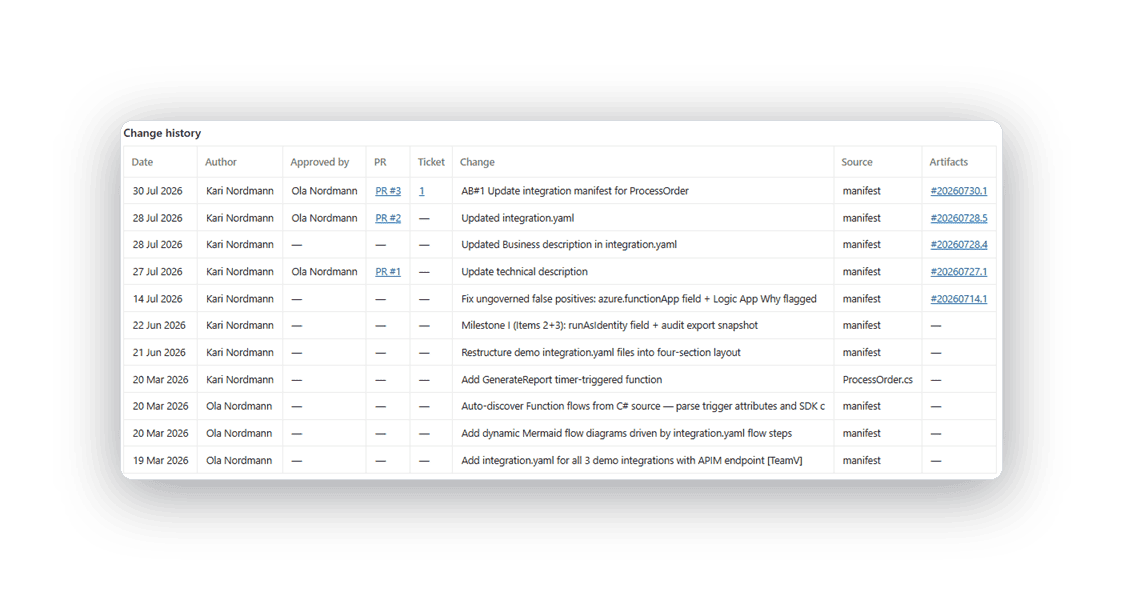
Who changed it, when, and who approved it
Every change to an integration, pulled from git and its pull request: the date, the author, the approver’s name, and the PR number on the integration’s own page. The evidence exists because of how your team already works.
How it works
Live in three steps, then automatic
Step 1
Add it to your pipeline. Add it to your Azure DevOps pipeline and point it at your resource groups. No platform to host, no agents.
Step 2
Fill in the stubs. It discovers your Logic Apps, Functions and repos, and opens a pull request with stub manifests. About five minutes each.
Step 3
It runs on every deploy. Every push regenerates your catalog, dashboard, diagrams and pages and flags anything ungoverned.
Runs where your data already lives
In your tenant
Everything runs inside your Azure environment. Nothing is sent to us. No phone-home.
Reads no secrets
Redaction strips secrets, connection strings, internal hostnames and tokens from every output. The build fails if a secret is detected.
Least privilege
Read-only discovery through your existing pipeline identity.
Verifiable
Every page carries the build ID, commit SHA and timestamp that produced it.
A snapshot is out of date by the next deploy
Manual evidence is stale the moment something changes. This regenerates on every release, so your evidence is always current — the same answer every time, not something someone maintains by hand.
FAQs
Be one of our founding customers
Hands-on setup with the engineer who built it, direct input into the roadmap, and locked-in early pricing in exchange for a paid pilot and your feedback.